Desktop AI That Fixes Your “What Was I Just Doing?” Problem
Mai
Ever catch yourself thinking, “What was I just doing?”
Or “What’s next?”
Just say, “Hi Mai !”
Mai is AI inverted, not searching outward, but reflecting inward.
A passive desktop guide that appears only when summoned, showing you your path at a glance.
Mai: your inner workflow made visible.
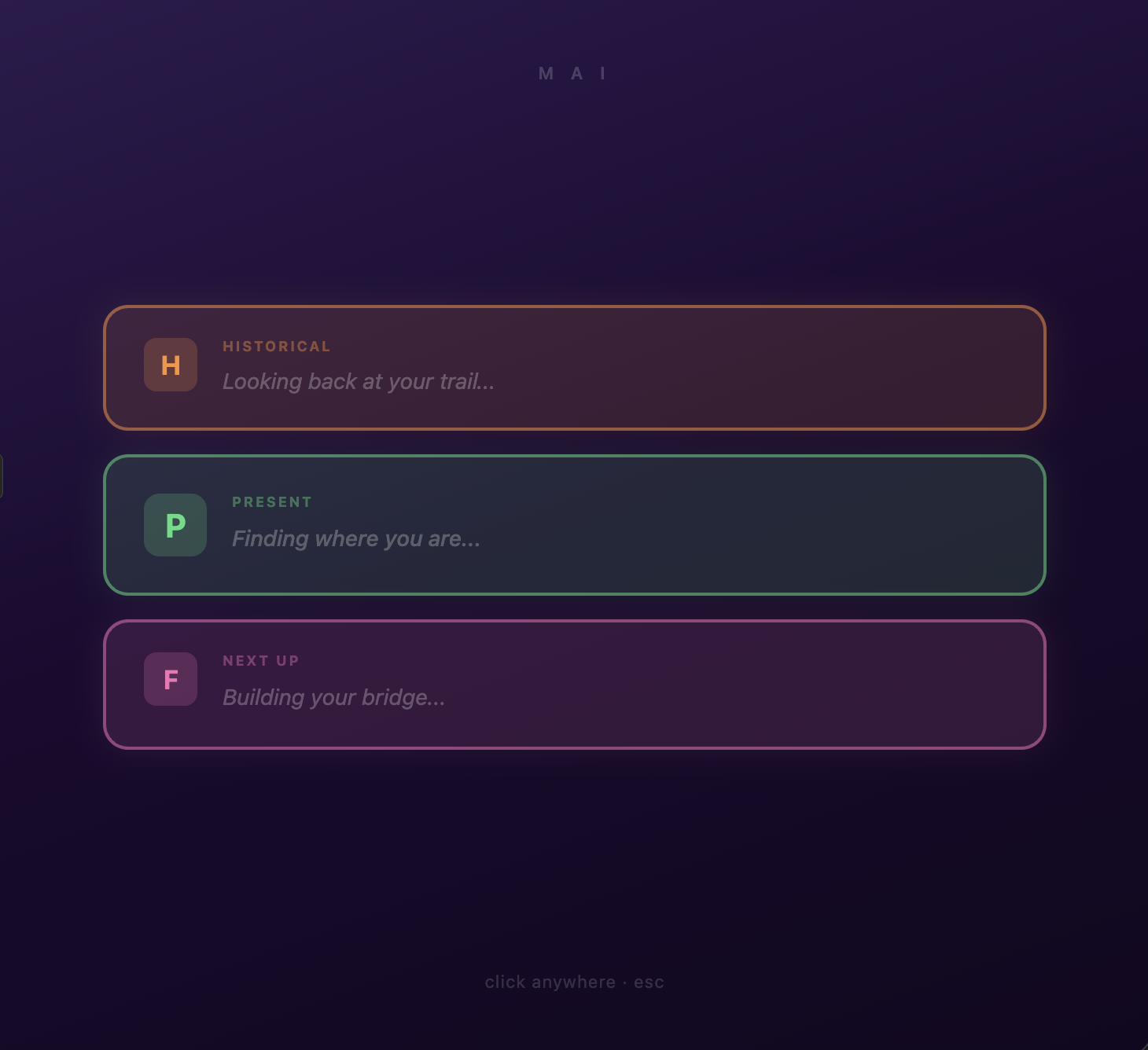
An intelligent cognitive desktop assistant designed to simplify your day and reduce overwhelm. Mai gives you a clear snapshot of your Historical, Present, and Future workflow: instantly.
Your focus didn’t disappear.
It was kidnapped by notifications.
Mai rescues it.
Clarity in a world of chaos, saving your brain from the internet.
What Does Mai Do?
Zapped by TikTok hypnosis?
Doom Scroll paralysis?
Mind hijacked by squirrels, runaway thoughts, or notification grenades?
Click “Hi Mai !”
Mai reels you back to reality and hands you your next step like a cosmic breadcrumb.
Download Mai
Mac & Windows Desktop App

FIRST 30 DAYS FREE, THEN $24 PER MONTH.


Your browser may flag the download, this is normal for new software.
Click 'Keep' to proceed. Mai is code-signed and verified.
Download it. Leave it on.
Two weeks later you’ll wonder how you worked without it.
⚠️ Before You Download
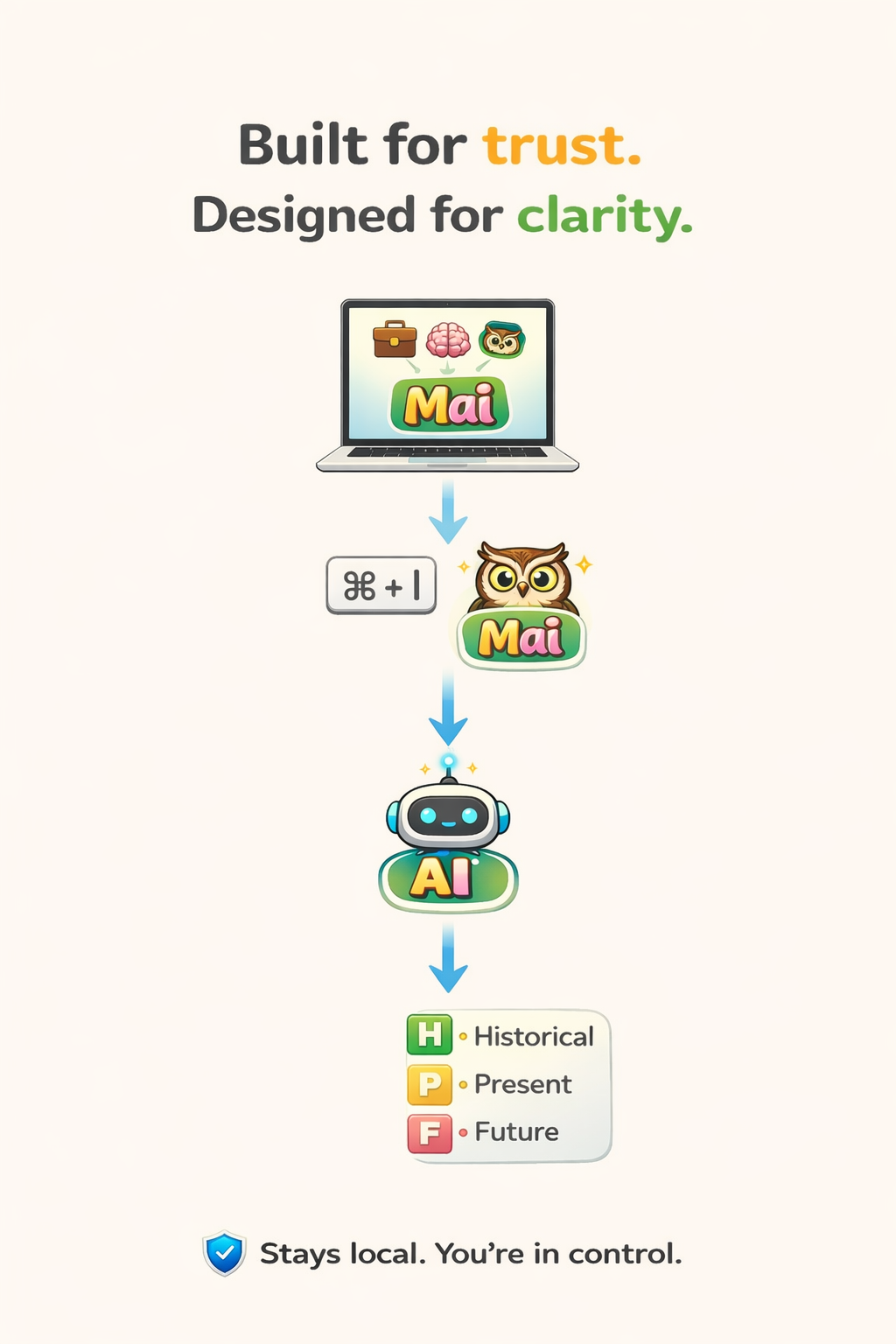
Mai runs locally on your computer and needs permission to understand your workflow.
If you’re on a locked-down corporate machine, you may not be able to install new desktop apps.
Best experience: personal Mac or Windows machine, however, Mai was designed and intended for your work computer.
Mai does NOT:
• Record keystrokes
• Capture screenshots
• Send your documents to the cloud
• Monitor your private content
It only tracks app transitions and workflow patterns to reconstruct your work context.
FAQ’s
Why does Chrome say this is a “suspicious” download?
Mai is brand new software. Browsers flag unfamiliar apps until enough people download and use them. Mai is certified, code-signed, and notarized. As adoption grows, the warning disappears.
I installed Mai and the first responses weren’t very accurate.
Totally normal. Mai learns your workflow over time. Leave it running for a couple of weeks and use it naturally — the more patterns it sees, the sharper and more helpful it becomes.
Why does Mai ask for permissions?
Mai needs access to window titles and browser tabs to understand which task you're working on. That’s how it reconstructs your workflow when you get interrupted.
Does Mai record what I type?
No. Mai detects typing activity timing, not content. It does not store or transmit what you write.
Does my data leave my computer?
Your workflow data stays local. Only summarized context is sent to generate your Historical / Present / Future response.
Can I use it on my work computer?
YES!! Mai was designed and intended for your work computer! Some corporate machines block third-party desktop apps. If installation is restricted, try using Mai on a personal device.
Who is Mai for?
Knowledge workers, founders, developers, researchers — anyone who lives in multiple tabs and wants calmer, cleaner focus.